
Head to head · checked 4 November 2026
Acloset vs Whering: which wardrobe app is better and where Sleqk fits
Acloset and Whering are two of the most searched closet apps. People often compare them. Both put your clothes in your phone and suggest outfits for the weather. They differ in what comes next. Here is each one side by side, plus a third option for anyone who wants to see the outfit on their own photo. Written by the Sleqk team.
Sleqk does this for you. Build your closet once by photographing what you own, tell the planner the event, and the stylist picks the outfit from your own pieces.
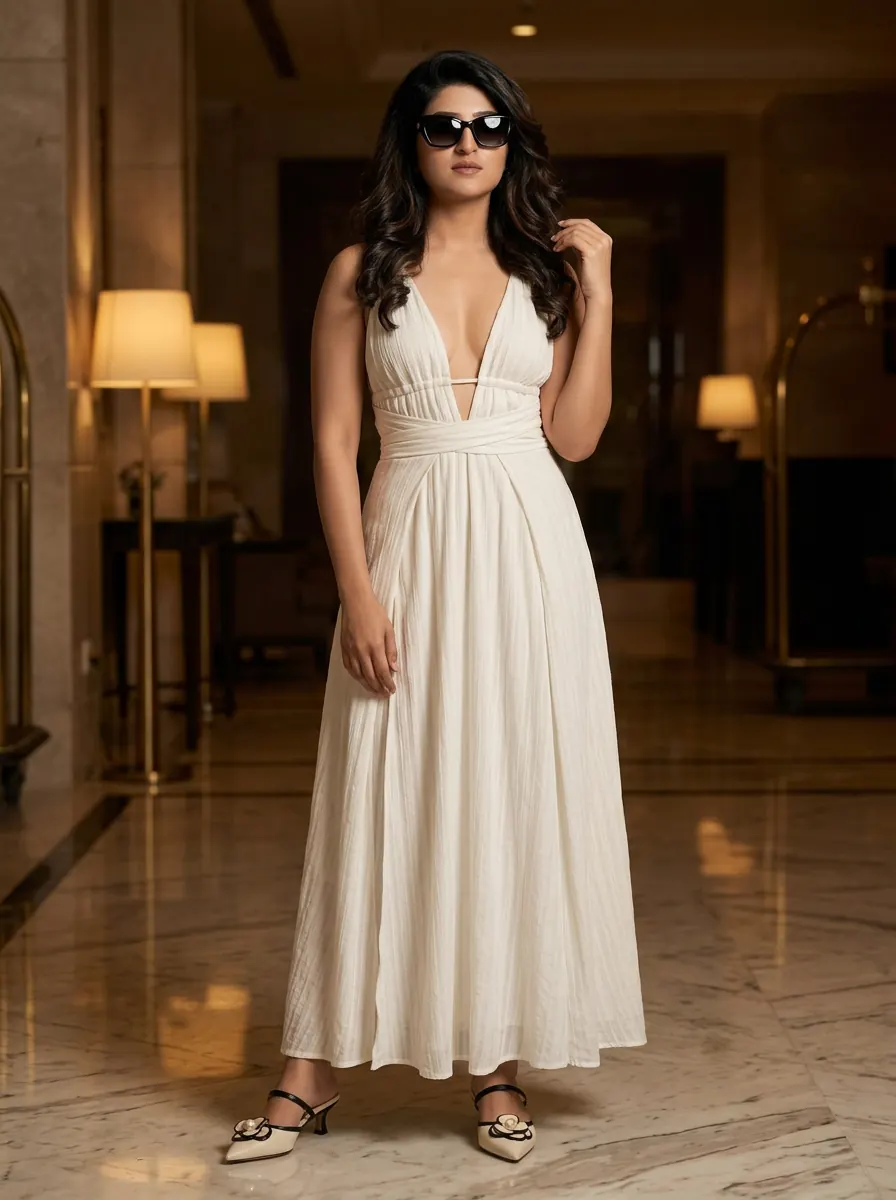
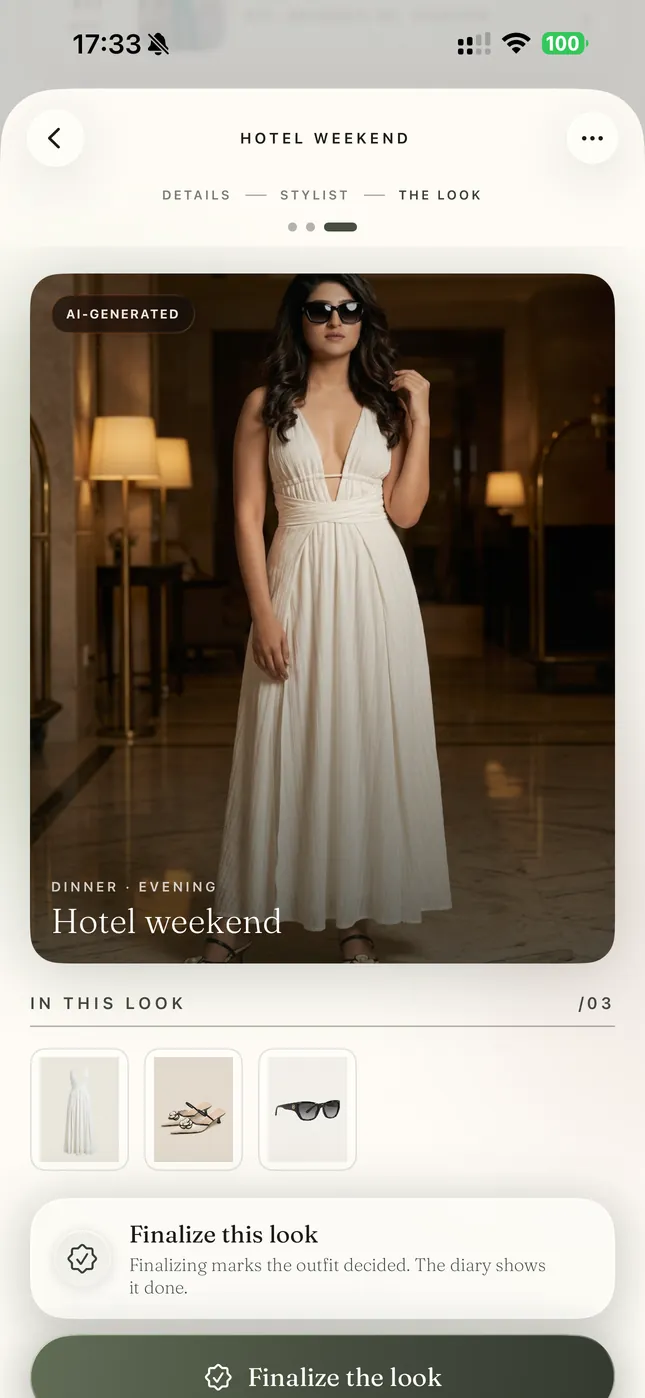
Built from these pieces
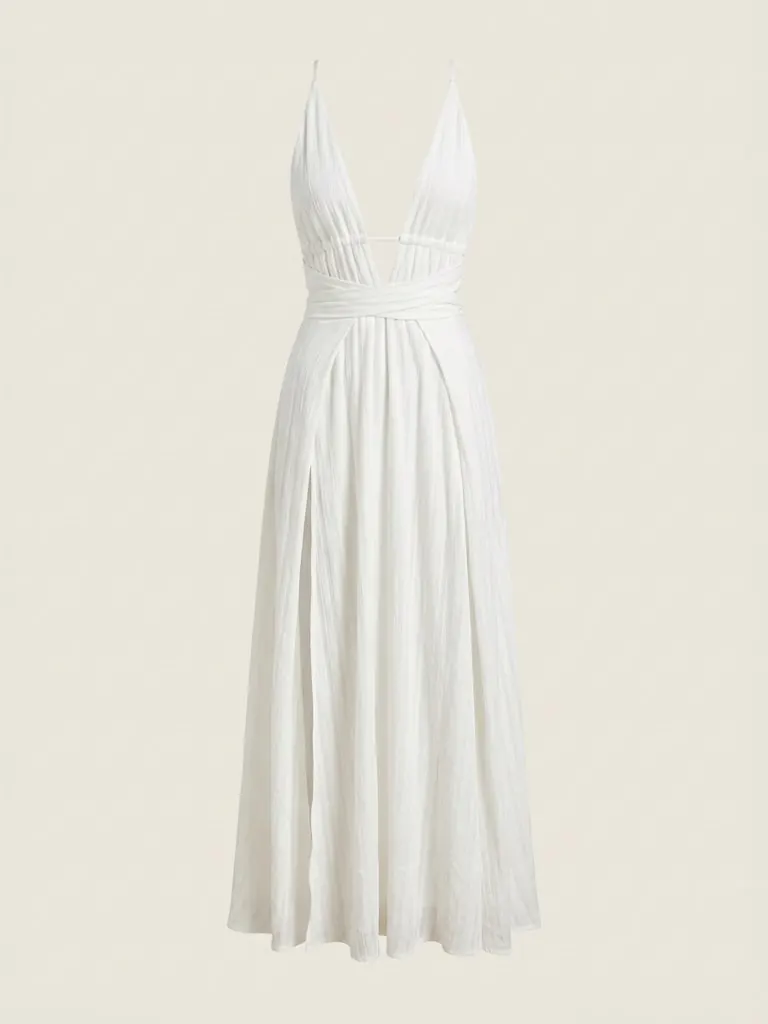
Off-white plunge dress
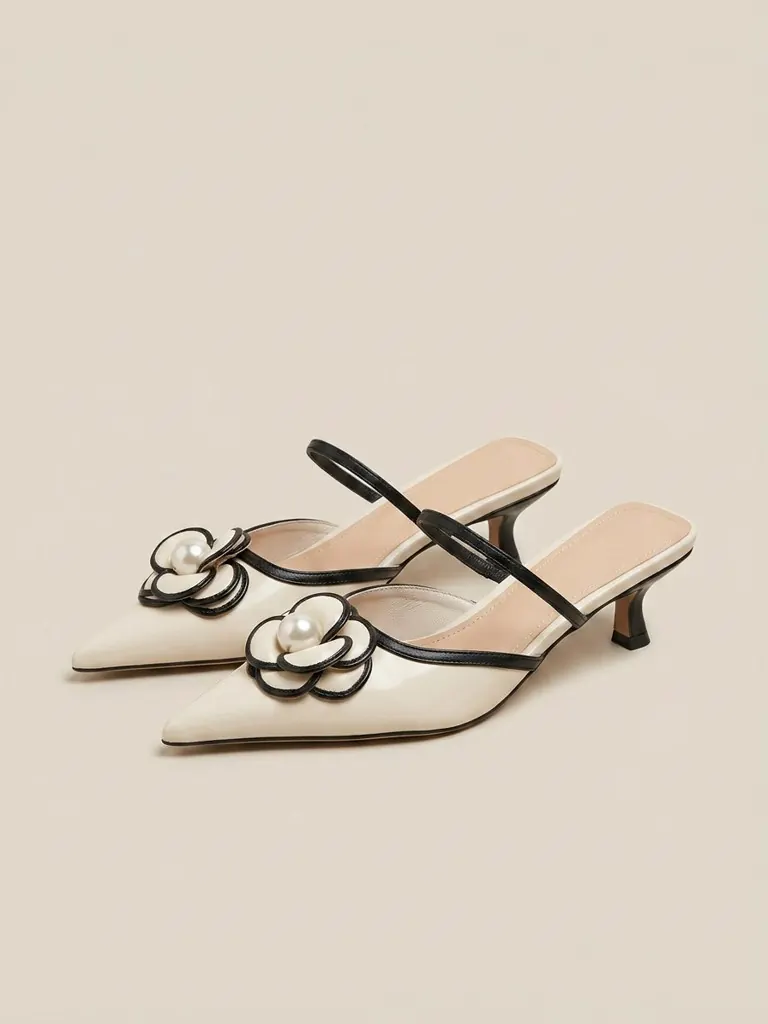
Cream kitten-heel mules
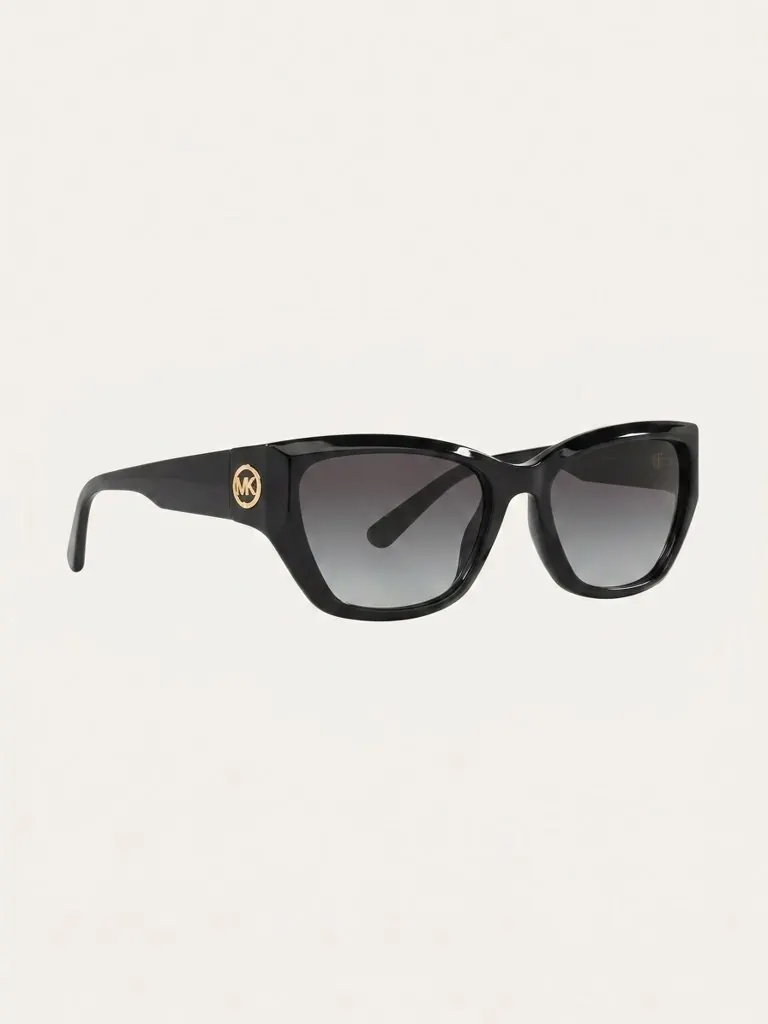
Black cat-eye sunglasses
Each one is a real piece from the same closet, photographed once in the app.
Who wrote this
We build Sleqk. It is the third app on this page. We added it because people comparing closet apps often want to see a planned outfit on themselves before an event. Weigh our part with that in mind.
Every claim about Acloset and Whering comes from their own App Store listings and websites, and for Acloset's paid parts from the app itself, with dated screenshots. We checked them on 4 November 2026. Where a company does not mention a feature, we say "Not advertised". That means we could not find it. It does not mean the feature is missing. We left prices out because they change too often. If something here is out of date, write to support@sleqk.com and we will fix it.
How this looks in Sleqk
Here is the same outfit inside the app. The finished look sits on the plan it was made for, with each piece listed under it.
Which one is better
Acloset is better if you want AI to do most of the work. You can ask its AI stylist questions like "does this match?" It analyses your best colours and body type. It also shows outfits on an AI avatar made from your photo. Acloset says all its features are free for up to 100 pieces. In our test the first AI photo clean-up asked for no Beans. The next one, in Pro quality, cost Beans, Acloset's in-app currency, which you buy.
Whering is better if you want friends and numbers. You can see and style friends' closets and they can style yours. It tracks cost per wear, how often you wear each piece and how long pieces last. Its database of over 100 million items makes adding pieces quick.
Sleqk is the pick if you mainly want to see an outfit from your own pieces on your own photo before an event. It does not track what you wear or make packing lists. Acloset and Whering both do.
Side by side
The same questions answered for each app from its own material.
| Acloset | Whering | Sleqk | |
|---|---|---|---|
| Platforms | iPhone, iPad, Android | iPhone, Android, web | iPhone, Android, web |
| Adding pieces | Photo, several in a row, pieces picked out of a mirror selfie, online search, a Chrome extension, past purchases from online shops or order emails | Photo with background removal, a database of over 100 million items, shop websites, a Chrome extension | Photo of one piece, or a whole outfit it splits into pieces |
| AI outfits | Yes, for today or any day in the coming week | Yes, daily suggestions. The Outfit Maker needs a Style Pass | Yes, for each event, only from your pieces |
| Weather | Yes | Yes | Yes, for the event's city and day |
| Plan outfits for dates | Yes | Yes, planner for trips, weekends and events | Yes, planner for each event |
| Build outfits by hand | Yes, outfit book | Yes, save all your outfits in one place | Yes, in the Studio |
| Try-on | On an AI avatar made from your photo. A Basic tier with free daily uses | Not advertised | On your own photo, photoreal |
| Ask a stylist questions | Yes, AI chat | Not advertised | No. A one-line brief steers the outfits |
| Colour and body analysis | Yes | Colour palette of what you own | No |
| Wear tracking and cost per wear | Yes | Yes, with wear rate and how long pieces last | No |
| Packing lists | Yes, with the weather where you are going | Yes | No |
| Friends | Plan outfits with friends, community | See and style friends' closets, style submissions | Send a look or a collection. Friends vote on options |
| Shopping | Wishlist, try on wishlist pieces | Wishlist, shop websites | None |
| Free to start | Yes, all features up to 100 pieces. AI clean-up in Pro quality cost Beans in our test | Yes | Yes, with a paid plan for more |
Acloset in short
Acloset is made by Looko Inc. and leans on AI. You can photograph many pieces in a row. It picks pieces out of a mirror selfie and turns rough photos into clean product images. You can also search online, use its Chrome extension or import past purchases from online shops or order emails.
Its AI stylist plans outfits for the weather and your schedule, for today or any day in the coming week. You can chat with it. It analyses your best colours and body type. Its try-on builds an AI avatar from your photo and dresses it in your own clothes or in pieces from your wishlist. Try-on has a Basic tier with free uses that refill every day, and a Pro quality. It also tracks what you wear, shows cost per wear and makes packing lists with the weather where you are going. Acloset says all features are free for up to 100 pieces. In our test the first AI photo clean-up asked for no Beans. The next one, in Pro quality, cost Beans, which you buy. More pieces need a subscription.
Whering in short
Whering is UK-based and built around people and data. It runs on iPhone, Android and the web. You add pieces by photo, from shop websites, through its Chrome extension or from a database of over 100 million items.
The social side is its strength. You can see friends' closets, style them, get styled back and copy pieces into your own closet. The numbers are its other strength: cost per wear, wear rate, new versus second-hand buys, your colour palette and how long pieces last. Its planner suggests outfits from your wardrobe and the weather for trips, weekends and events. It has a shuffle mode called "Dress Me" and packing lists. Its Outfit Maker needs a Style Pass. It does not advertise try-on.
Where Sleqk fits
Sleqk is built around one moment. The day before an event when you decide what to wear. You add the event and the city. The stylist reads the forecast and builds complete outfits only from pieces you own. Shoes and bags included. Then it renders the outfit on your own photo, not an avatar, with the venue behind you if you like. Send the options to friends and let them vote.
It holds everything you wear, from coats to watches, jewellery and sunglasses. There is nothing for sale in the app. No shop, no affiliate links, no ads. Photos are stored in the EU and never used to train models. It does not track what you wear yet. It has no cost per wear and no packing lists. If those matter most, Acloset or Whering will suit you better.
Which one to choose
You want AI to answer your style questions, or you have fewer than 100 pieces and want most things free. Pick Acloset.
You want to style with friends and see clear numbers about what you wear. Pick Whering.
You have a wedding, a trip or a big meeting coming and want to see the outfit on yourself first. Pick Sleqk.
You want an avatar plus ideas for what to buy next. Look at Alta, in our comparison of nine wardrobe apps.
All three are free to start. Add the same ten pieces to two of them and use both for a week. For another head to head, see Indyx vs Whering.
Questions people ask
Is Acloset or Whering better?
Acloset is better for AI help: a stylist you can chat with, colour analysis and try-on on an avatar made from your photo. Whering is better for styling with friends and for detailed wear statistics. Both are free to start.
Is Acloset free?
Acloset says all its features are free for up to 100 pieces. In our test the AI photo clean-up in Pro quality cost Beans, which you buy. Try-on has free uses that refill every day. A bigger closet needs a subscription. Checked 4 November 2026.
Is Whering free?
Whering says it is free to use. Its Outfit Maker needs a Style Pass. Checked 4 November 2026.
Does Whering have virtual try-on?
Whering does not advertise try-on in its store listing or on its website. Acloset shows outfits on an AI avatar made from your photo. Sleqk renders them on your own photo. Checked 4 November 2026.
Is Whering AI?
Whering lists an "AI Fashion Assistant" and an "Outfit Generator" in its App Store listing. Its planner suggests outfits from your wardrobe and the weather. It does not say which parts use AI. Acloset says AI picks its outfits. Checked 4 November 2026.
What is a good Acloset alternative?
Whering if you want styling with friends and wear statistics. Sleqk if you want to see the outfit on your own photo. Alta if you want an avatar and shopping ideas. Our comparison of nine wardrobe apps covers more.
Who wrote this comparison?
The Sleqk team. We build one of the three apps on this page. Weigh our part with that in mind. Every claim about Acloset and Whering comes from their own store listings and websites.
Let Sleqk do this for you
1Build your closet once
Photograph what you own. Sleqk cleans each photo and tags it.
2Tell the planner the event
The stylist picks complete outfits from your own pieces, for the weather that day.
3See it on you first
Render the outfit on your own photo and decide with days to spare.