
Compared · checked 4 November 2026
Best free wardrobe apps with AI: what is free and what you pay for
Almost every wardrobe app says it is free. Most are, for storing your clothes. The AI parts are where the paywalls start: cleaning up your photos, building outfits for you and showing them on you. We checked eight apps for what you really get for free. Written by the Sleqk team.
Sleqk does this for you. Build your closet once by photographing what you own, tell the planner the event, and the stylist picks the outfit from your own pieces.
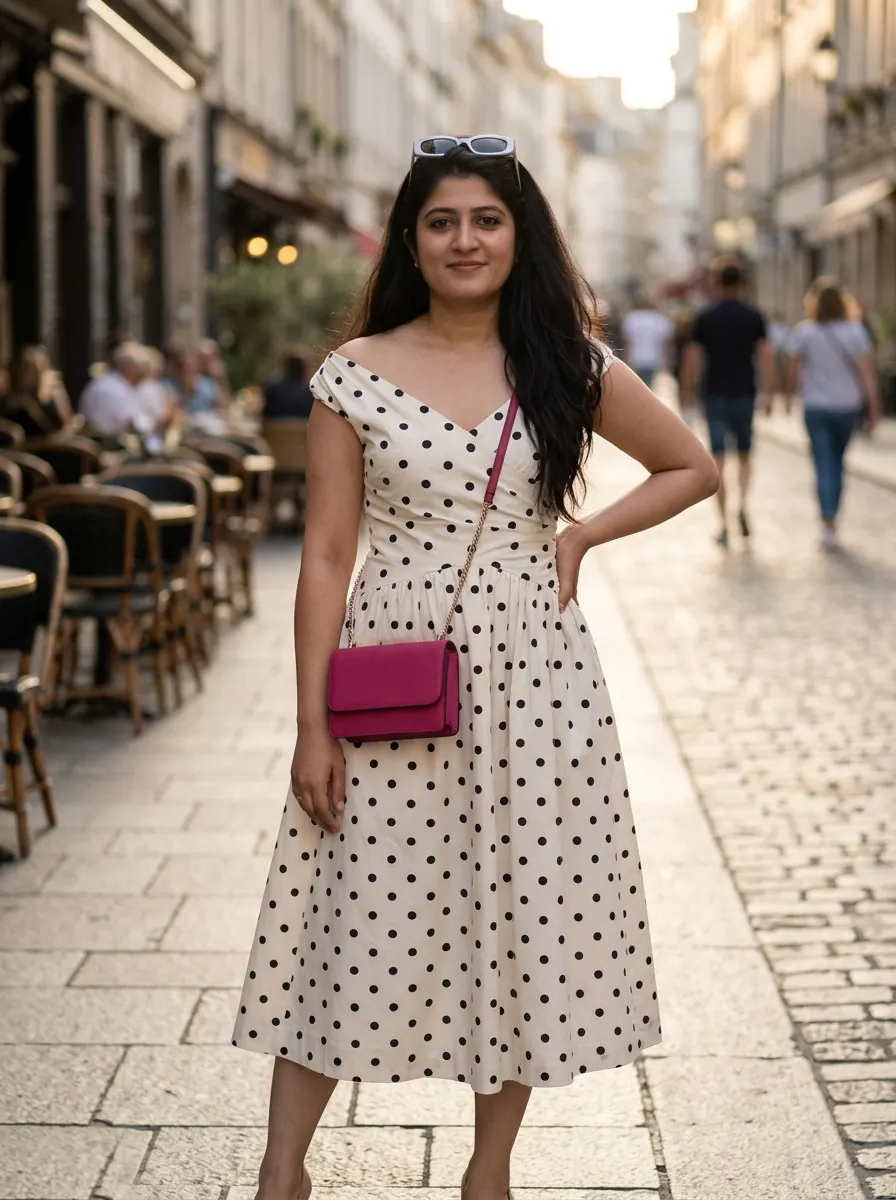
Built from these pieces
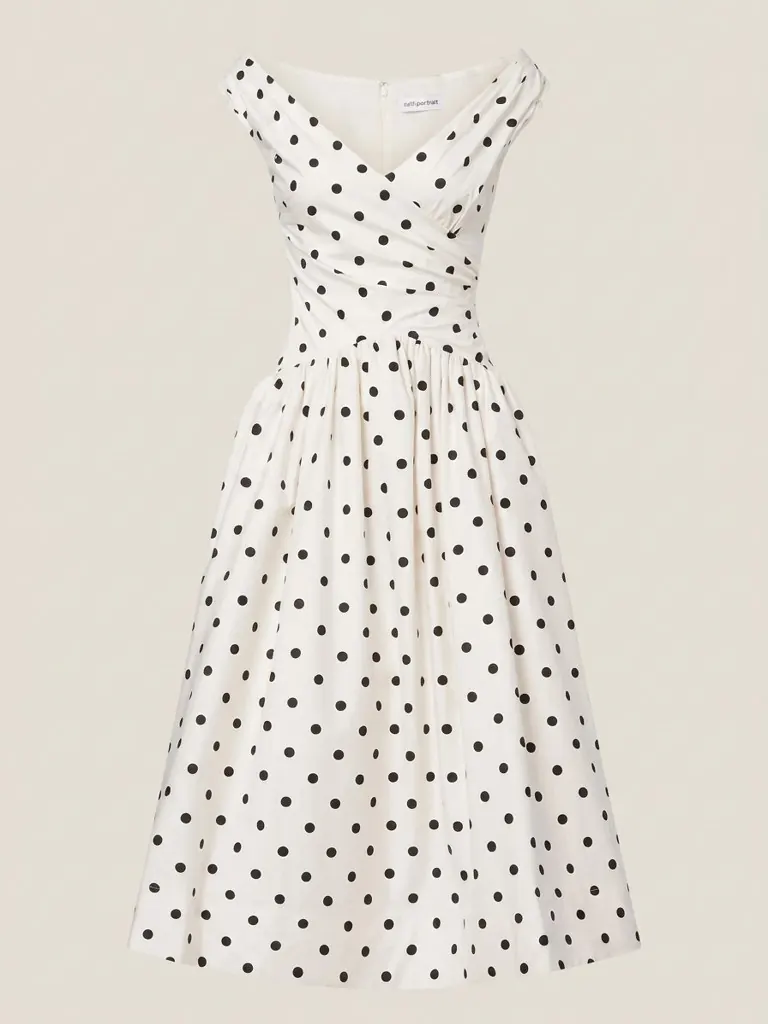
Polka-dot midi dress
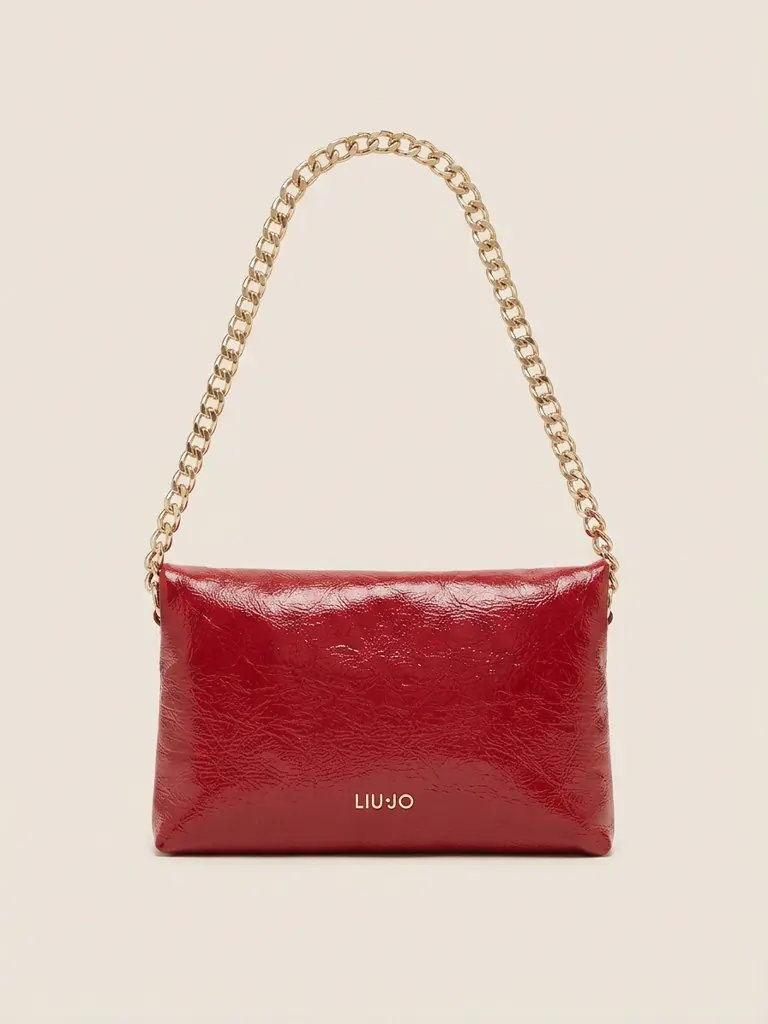
Red patent chain bag
Each one is a real piece from the same closet, photographed once in the app.
Who wrote this and how we checked
We build Sleqk. It is one of the apps below, so weigh our entry with that in mind. Where another app gives you more for free, we say so.
Every claim comes from the app's own App Store listing or website, checked on 4 November 2026. For Acloset we also used the app itself, because its prices for AI clean-up only show inside the app. We kept dated screenshots. We left prices out because they change too often. If something here is out of date, write to support@sleqk.com and we will fix it.
How this looks in Sleqk
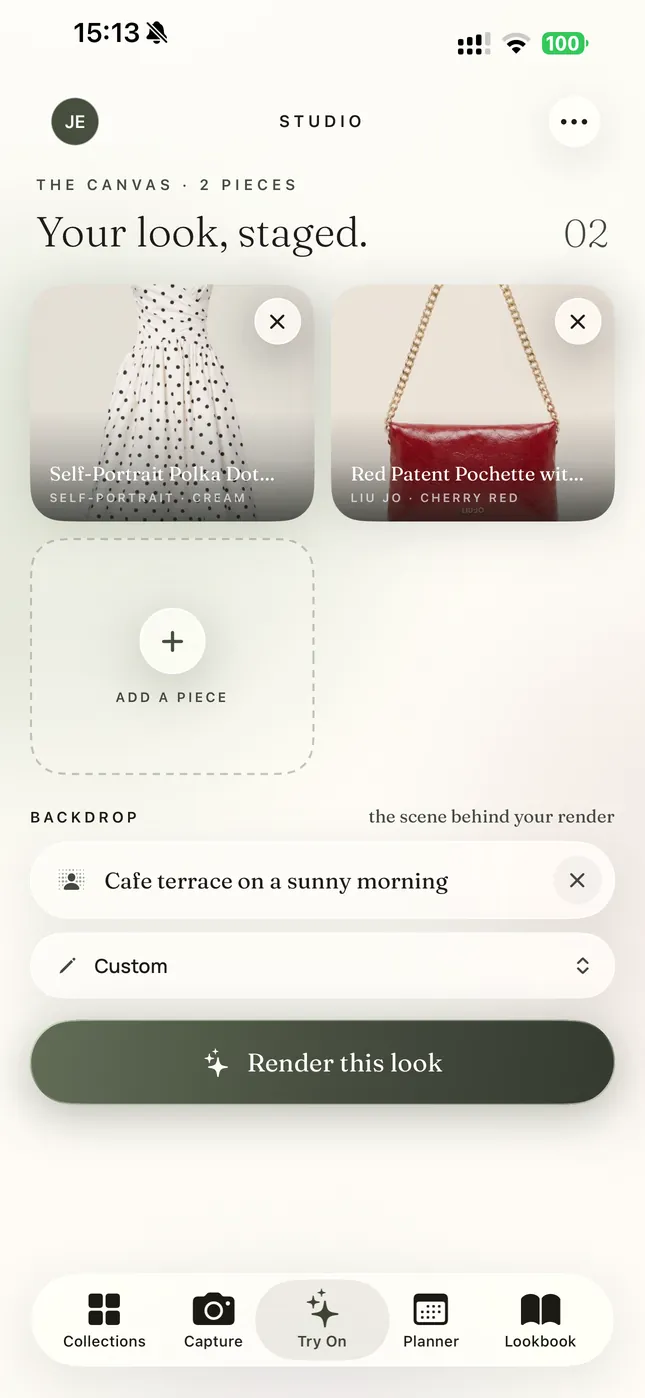
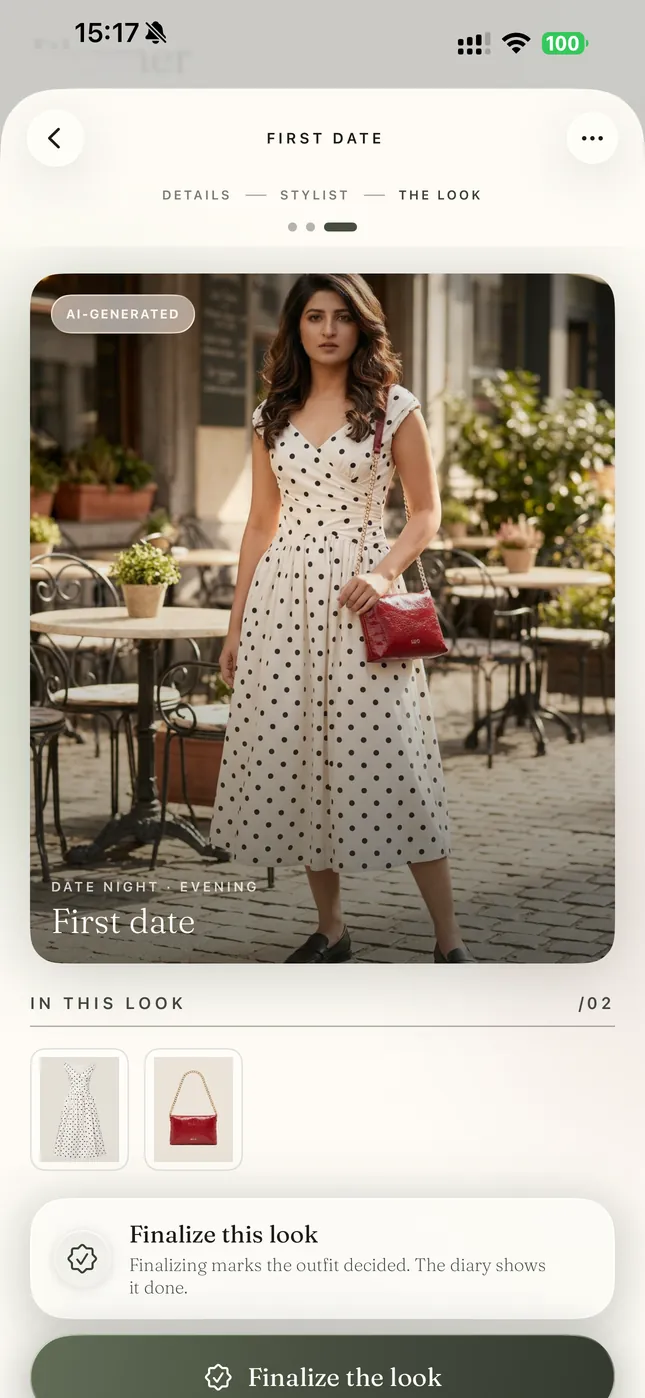
Here is the same outfit inside the app. The pieces are staged together for a try-on, and the finished look sits on the plan it was made for.
Which wardrobe apps are completely free?
To store a lot of clothes for free: Indyx, Whering or Fits. All three say you can add as many pieces as you like on the free plan.
To get AI outfits and an avatar try-on for free: Alta. Its App Store listing lists no in-app purchases.
To see outfits on your own photo for free: Sleqk. Every feature is on its free plan, including photoreal try-on. The limit is a monthly number of AI credits, not which features you can use. Indyx and Cladwell also show outfits on a photo of you, but both put that behind a subscription.
Free vs paid in each app
The same questions answered for each app from its own material.
| App | Adding pieces | AI photo clean-up | AI outfits | Try-on | What you pay for |
|---|---|---|---|---|---|
| Sleqk | 1 AI credit each, 10 credits a month free | Included in that credit | Free, 10 style picks a month | On your own photo, 1 credit each | More credits and picks (Premium), or a one-off pack |
| Alta | Free | Free | Free | Free, on an avatar of you | No in-app purchases listed |
| Indyx | Free, unlimited, with automatic background removal | Unlimited "enhanced flatlays" and super HD images are Insider only | No AI outfits. Getting styled by friends is Insider, human stylists are paid separately | "Virtual selfies" on a real photo of you are Insider only | Insider membership, stylists |
| Whering | Free, with background removal | Not advertised | Planner suggests outfits, plan not stated. The Outfit Maker needs a Style Pass | Not advertised | Style Pass, credit packs |
| Fits | Free, unlimited, with background removal | AI tagging of category, colour and season is Fits Pro | Unlimited AI outfit ideas are Fits Pro | Advertised, method and plan not stated | Fits Pro, AI credit packs |
| Acloset | Free up to 100 pieces, with background removal | In our test the first was free, the next in Pro quality cost Beans you buy | Free | Basic tier with free daily uses, Pro quality also offered | Beans, subscription for over 100 pieces |
| Pureple | Free | 20 background removals free, unlimited with Pro | "Unlimited AI Style Suggestions", listed under its "AI & Premium Features" | On an AI model, listed under its "AI & Premium Features" | Pro or Premium |
| Cladwell | Free | "Improve photo" advertised, plan not stated | Paid, needs a subscription | Paid: "See it on me" on a photo of you, needs a subscription | Subscription |
Sleqk
Free: every feature. Adding a piece, the AI clean-up into a product-style photo, the event stylist that uses the weather on the day, and photoreal try-on on your own photo. The free plan gives you 10 AI credits and 10 style picks each month. Adding a piece uses one credit. So does each try-on. That is about 10 pieces a month if you use no credits on try-on.
Launch offer: the first 500 people to sign up get their first month of Premium free. That is 50 AI credits and 50 style picks, enough to put in your core pieces in the first weeks.
Where others do better: Indyx, Whering and Fits let you add unlimited pieces for free. Sleqk counts each piece against your credits, because every one gets an AI clean-up. Alta lists no in-app purchases at all.
Alta
Free: its App Store listing lists no in-app purchases, and its website says "Alta is free to use." That covers AI clean-up that removes backgrounds and adds details like fabric and fit. It covers AI outfits for the weather, your schedule and any event. And it covers try-on on an avatar made to look like you.
Indyx
Free: unlimited pieces with automatic background removal, unlimited outfits, packing lists, a wear calendar, cost per wear and sharing your closet with friends.
Paid, in its Insider membership: unlimited "enhanced flatlays" (cleaner product-style photos), super HD images, an analytics dashboard, getting styled by friends and "virtual selfies" to preview looks on a real photo of you. Indyx does not make AI outfits. Its human stylists are a paid service.
Whering
Free: your closet, background removal, a database of over 100 million items, friends' closets, wear statistics and packing lists. Its planner suggests outfits from your wardrobe and the weather. Whering does not say whether that is free.
Paid: the Outfit Maker needs a Style Pass. Whering also sells credit packs in the app. It does not advertise try-on.
Fits
Free: unlimited pieces and background removal, its canvas and calendar.
Paid, in Fits Pro: AI detection of category, colour and season, and unlimited AI outfit suggestions. Fits also sells AI credit packs.
Acloset
Free: up to 100 pieces with background removal, AI outfits for the weather and your schedule, and a try-on Basic tier with free uses each day.
Paid: in our test the first AI clean-up, called Beautify, asked for no Beans. The next one, in Pro quality, cost Beans, Acloset's in-app currency, which you buy. Closets over 100 pieces need a subscription.
Pureple
Free: closet, outfit collages and 20 AI background removals.
Paid, in Pro or Premium: unlimited background removal, cloud sync and no ads. Its AI outfit ideas and its try-on on an AI model are listed under its "AI & Premium Features".
Cladwell
Free: building and organizing your closet, its App Store listing says.
Paid, with a subscription: outfits, "See it on me" try-on on a photo of you, colour analysis and the stylist. Its AI features come with a monthly allowance.
How to choose
Decide what you need the AI for. If you only want a list of what you own, Indyx, Whering and Fits give you the most for free. If you want AI to dress you for free, Alta and Sleqk do. If you want to see the outfit on your own photo before an event without paying, Sleqk does that on its free plan.
Then try two of them for a week with the same ten pieces. The one you still open on day seven is your answer.
Questions people ask
What is the best free wardrobe app?
It depends on the job. Indyx, Whering and Fits let you add unlimited pieces for free. Alta lists no in-app purchases and includes AI outfits and avatar try-on. Sleqk includes every feature for free, including try-on on your own photo, with 10 AI credits a month. Checked 4 November 2026.
Is there a free wardrobe app with AI?
Yes. Alta lists no in-app purchases and includes AI outfits and avatar try-on. Sleqk's free plan includes every AI feature with a monthly allowance. Acloset includes AI outfits for free.
Is there a free virtual try-on app for my own clothes?
Sleqk shows outfits from your own clothes on your own photo, on its free plan. Alta and Acloset show them on an avatar. Indyx's "virtual selfies" and Cladwell's "See it on me" use a photo of you but need a paid plan.
Is Indyx free?
Yes, to store unlimited pieces, plan outfits and pack. Unlimited enhanced photos, analytics, virtual selfies and styling by friends are in the paid Insider membership.
Is there an app like Indyx but free?
Whering and Fits also let you add unlimited pieces for free. Sleqk includes try-on on your own photo on its free plan, which Indyx keeps for Insider.
Is Whering free?
Whering calls itself "the world's largest free social styling & closet app". Its Outfit Maker needs a Style Pass.
Is Alta free?
Its App Store listing lists no in-app purchases and its website says "Alta is free to use." Checked 4 November 2026.
Is Fits free?
Fits says the app is free, including unlimited pieces and background removal. AI tagging and unlimited AI outfit ideas are in Fits Pro.
Is Acloset free?
Acloset says all its features are free for up to 100 pieces. In our test the AI clean-up in Pro quality cost Beans, which you buy.
Who wrote this comparison?
The Sleqk team. We build one of the apps on this page. Weigh our entry with that in mind. Every claim about another app comes from its own store listing, website or, for Acloset, the app itself.
Let Sleqk do this for you
1Build your closet once
Photograph what you own. Sleqk cleans each photo and tags it.
2Tell the planner the event
The stylist picks complete outfits from your own pieces, for the weather that day.
3See it on you first
Render the outfit on your own photo and decide with days to spare.